Workflow
From draft or upload to accessible documents
Inkable mirrors the way document work actually moves: files are authored, uploaded, reviewed, fixed, and exported across more than one system.
Start in Docs or Slides
Launch Inkable from the Google Workspace editing flow so checks begin while the document or presentation is still easy to revise.

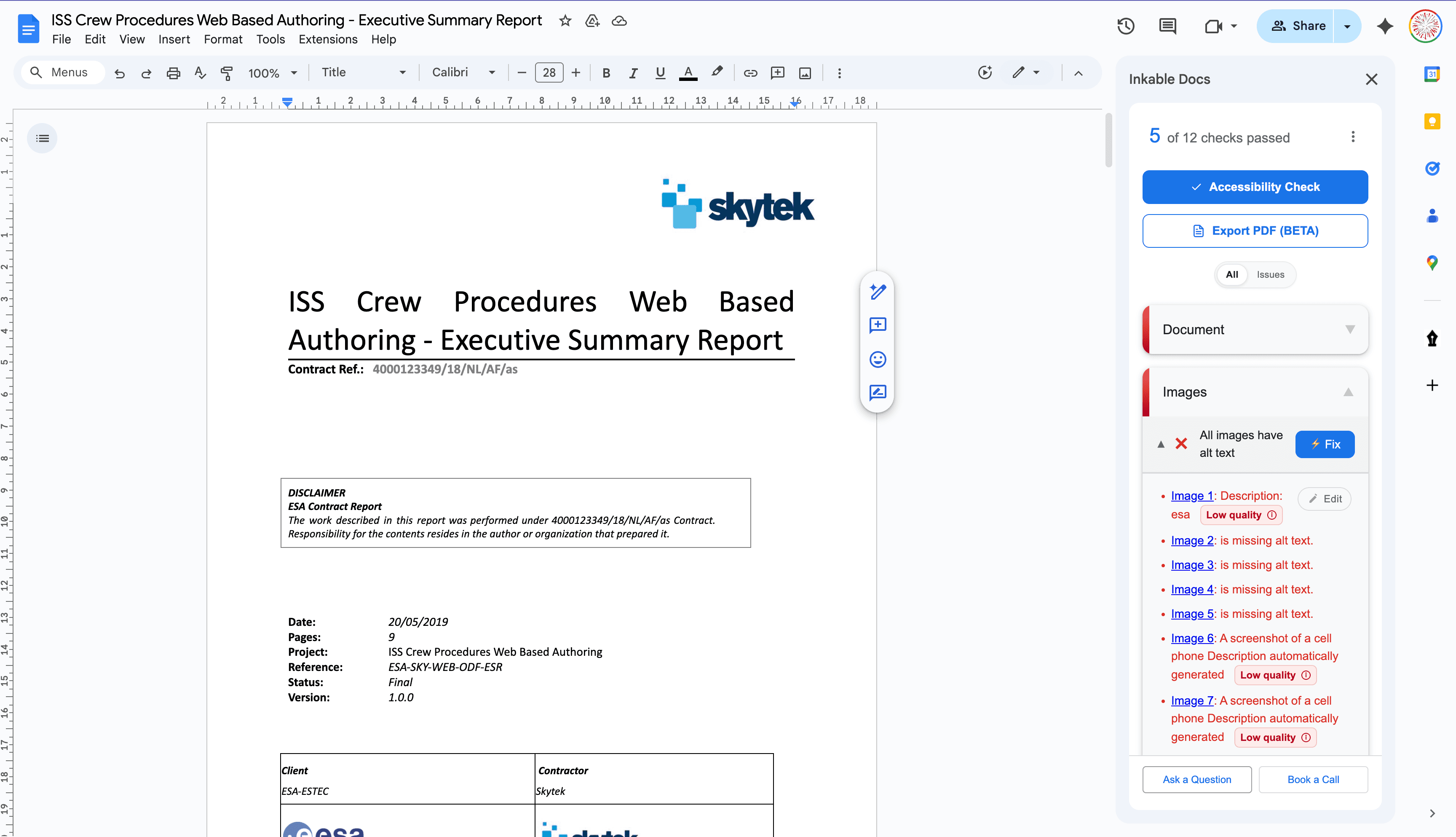
Review structure and semantics
Headings, tables, lists, links, images, equations, reading order, and document basics are checked against WCAG and PDF/UA expectations.

Apply intelligent fixes
AI analyzes the document's context to recommend alt text, identify decorative images, and guide structural fixes.
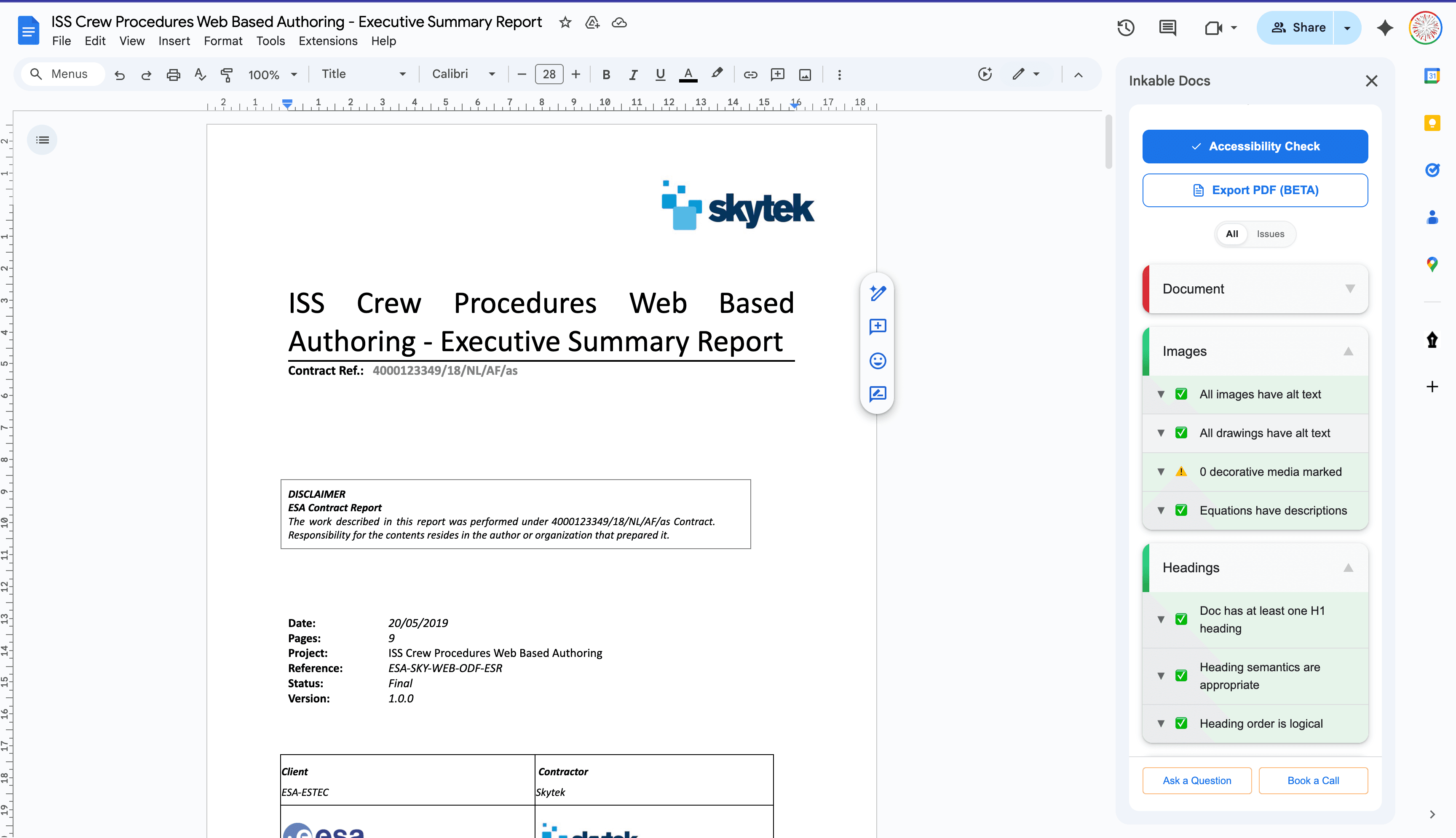
Export accessible PDF
When your document turns green, export a tagged PDF/UA file aligned with ISO 14289 and the Matterhorn Protocol.
Features
Accessibility guidance for every document surface.
Keep writers, instructors, and reviewers aligned across authoring tools, LMS uploads, PDF exports, and institutional compliance workflows.
- Multi-surface document checks
Review documents across Google Workspace, Microsoft 365, LMS course files, and PDF workflows without forcing every team into one authoring tool.
- Authoring tool guidance
Give writers practical guidance for headings, lists, tables, links, color contrast, and reading order while content is still easy to fix.
- Document accessibility intelligence
AI-generated recommendations for alt text, document structure, and other accessibility barriers—kept reviewable by the author.
- LMS-ready course materials
Check syllabi, handouts, readings, slides, and PDFs before they become student-facing files in Canvas, D2L, Blackboard Ultra, or Moodle.
- Governance for teams
Pre-set rules for your organization and keep writers aligned with the same accessibility playbook.
- PDF/UA and WCAG evidence
Produce reviewer-friendly summaries that document accessibility issues, fixes, and standards-aligned progress.
Frequently asked questions
Everything you need to know about how Inkable checks, fixes, and documents accessibility across authoring tools, LMS course materials, and PDF workflows. Need more help? Reach out to support@inkabledocs.com.
Bring document accessibility into every workflow
With 29,000+ installs, faculty and staff already use Inkable to meet document accessibility requirements. Now teams can extend that workflow across Workspace, Microsoft 365, LMS course materials, and PDFs.
Review the right fit for your institution or team