The best YuJa Panorama alternatives in 2026
Five alternatives to YuJa Panorama for checking and fixing course files against WCAG 2.1 AA, compared on what they fix, what the licence includes, and what they cost.
Last updated . Every competitor fact links to the vendor's own documentation.
Quick comparison
YuJa Panorama is included as the baseline.
| Tool | Works in | Fixes files | Alternative formats | Pricing |
|---|---|---|---|---|
| Inkable DocsOur recommendation | Every major LMS, Google Docs and Slides, Microsoft Word and PowerPoint, and Google Classroom | Yes: fixes Word, PowerPoint, and HTML and replaces the file in the course, with Undo. No separate AI modules | Redundant: Inkable Docs fixes the original file, so every student gets the accessible version by default | Published add-on plans; flat institution-wide pricing for LMS integrations, with no paid AI modules |
| Blackboard Ally (Anthology Ally)by Anthology | Blackboard Learn, Canvas, D2L Brightspace, Moodle, and Schoology | Instructions only for Word and PowerPoint. PDF Quick Fixes for title, language, OCR, tags, and image alt text | Yes: audio, ePub, electronic braille, HTML, BeeLine, Enhanced Reader, and more | Annual licence by FTE. The public AWS listing starts at $15,000–$150,000 a year for under 2,000 FTE |
| UDOIT Advantage (and open-source UDOIT)by Cidi Labs | Canvas (UDOIT Advantage); Canvas and D2L Brightspace (open-source UDOIT) | Mostly guidance. Instructors fix files themselves and upload the replacement; Word and PowerPoint fixing is not documented | Yes (Advantage); not documented for open source | Quote only, by FTE, plus a first-year implementation fee; open-source UDOIT is free |
| Pope Tech Canvas Accessibility Guide and Dashboardsby Pope Tech | Canvas | Yes for HTML in the Canvas editor; file fixing is not documented | Not documented | Published: $0.20 per FTE a year (Guide, $1,200 minimum); $1 per FTE a year (Dashboards, $2,400 minimum) |
| Built-in Canvas and D2L Brightspace checkersby Instructure and D2L | Canvas and D2L Brightspace | Minimal: a limited set of common issues on LMS pages. Canvas adds optional AI alt text (off by default) | Not documented | Included with the LMS |
| YuJa PanoramaBaseline | Blackboard, Canvas, Moodle, D2L Brightspace, and PowerSchool | Yes, with file replacement in the LMS. Automatic AI fixing (AutoPilot) and PDF structure fixes (Structural Remediation) are add-on modules | Yes: 20+ formats, including audio, ePub, braille, and HTML | Quote only, plus add-on modules. Board records: $99,950 a year for the core licence in Colorado |
Who this comparison is for
- Accessibility and disability services teams responsible for course materials
- Instructional designers fixing files Panorama has flagged
- LMS administrators and procurement reviewing the YuJa renewal and its add-on modules
- Faculty who need course files fixed, not only scored
Why institutions look for a YuJa Panorama alternative
The automatic fixing is sold separately
Panorama's core licence checks files and supports remediation, but the AI that fixes issues automatically is sold as add-on modules. AutoPilot (“AI-powered automatic remediation”) and Structural Remediation (PDF tagging and reading order) are separate “Max” tiers, Google Workspace remediation is “an add-on module at an additional cost”, and YuJa's unlimited usage option states that Course AutoPilot credits are not included. The price of the core licence is not the price of automatic fixing.
Checks follow rules, not meaning
YuJa documents checks such as headings that are too long, pages over 3,000 words, empty links, unformatted lists, and missing table headers. Its sources describe no check of whether a heading's level matches its place in the document, whether a title says anything useful, or whether instructions rely on color alone. AI is described for fixes and alt text, not for judging structure.
No PDF/UA reporting documented
Panorama's scoring is aligned to WCAG 2.2 AA. YuJa's product pages do not mention PDF/UA (ISO 14289) or the Matterhorn Protocol, the standards procurement and compliance reviewers use to judge whether a PDF is accessible.
File replacement does not always succeed
YuJa's 2026 release notes add audit logs that record whether a replacement succeeded or failed, and a fallback that tells the user to “download the document and replace it directly on the LMS” when it fails. PDFs that are “fundamentally broken or invalid” cannot be repaired.
Quote-only pricing, plus modules
YuJa publishes no price list. Public records show what institutions pay: the Colorado Community College System approved $99,950 a year for the core licence, and Elgin Community College approved up to $77,081 over three years. The University of California's systemwide amendment describes its pricing only as about 20% off MSRP. AutoPilot, Structural Remediation, Google Workspace remediation, and advanced analytics are priced on top.
What YuJa Panorama does well
Panorama runs inside the LMS, scores course files and pages against WCAG 2.2 AA, supports remediation with file replacement, and generates alternative formats for students. Automatic AI fixing is sold as add-on modules.
- Works in
- Blackboard, Canvas, Moodle, D2L Brightspace, and PowerSchool
- Checks
- PDF, Word, PowerPoint, Excel, images, LMS content, and Google files, plus captions on YouTube and Vimeo videos
- Fixes files
- Yes, with file replacement in the LMS. Automatic AI fixing (AutoPilot) and PDF structure fixes (Structural Remediation) are add-on modules
- Alternative formats
- Yes: 20+ formats, including audio, ePub, braille, and HTML
- Pricing
- Quote only, plus add-on modules. Board records: $99,950 a year for the core licence in Colorado
- Best for
- Multi-LMS institutions that want scanning, fixing, and alternative formats from one vendor
YuJa Panorama Pros
- Remediates PDF, Word, PowerPoint, and LMS content and replaces files inside the LMS
- Integrates with five LMS platforms: Blackboard, Canvas, Moodle, D2L Brightspace, and PowerSchool (Schoology)
- Finds a file stored in several course locations and replaces every copy at once (October 2026)
- 20+ alternative formats for students, including audio, ePub, and braille
YuJa Panorama Cons
- Automatic AI fixing is sold separately, as AutoPilot and Structural Remediation modules
- Rule-based checks; no documented check of whether structure matches meaning
- No PDF/UA or Matterhorn reporting documented
- Release notes describe a manual download-and-upload fallback when replacement fails
- Quote-only pricing, with modules priced on top
YuJa Panorama alternatives compared
Ranked by how much of the fixing each tool does on course files, and how much of it the licence includes.
1. Inkable Docs
by Inkable Docs LLCOur recommendationChecks course files against WCAG 2.1 AA and PDF/UA, fixes Word, PowerPoint, and HTML content, and replaces the file in the course with an Undo. AI checks and fixes are part of the core product, and the same checks run in Google Docs, Google Slides, and Microsoft Office files before material reaches the LMS.
- Works in
- Every major LMS, Google Docs and Slides, Microsoft Word and PowerPoint, and Google Classroom
- Checks
- Word, PowerPoint, PDF, and HTML course content
- Fixes files
- Yes: fixes Word, PowerPoint, and HTML and replaces the file in the course, with Undo. No separate AI modules
- Alternative formats
- Redundant: Inkable Docs fixes the original file, so every student gets the accessible version by default
- Pricing
- Published add-on plans; flat institution-wide pricing for LMS integrations, with no paid AI modules
- Best for
- Teams that want course files fixed by default, with checks that judge meaning
Inkable Docs Pros
- AI fixes and alt text are included, not sold as add-on modules
- Checks headings, lists, and titles by meaning, not only by rule
- PDF/UA and Matterhorn Protocol reports for course PDFs
- Works in Google Docs, Slides, and Office files as well as the LMS
- Admin summaries and daily or weekly instructor summary emails
Inkable Docs Cons
- Newer than YuJa, with a shorter institutional track record
- No alternative formats; it fixes the original file instead
- PDFs get a detailed report; fixes are made in the source document, not the PDF
2. Blackboard Ally (Anthology Ally)
by AnthologyThe closest like-for-like replacement: Ally scores every course file inside the LMS and generates alternative formats. It does less fixing than Panorama: Word and PowerPoint fixes are left to the instructor, and PDF Quick Fixes reach properties and tags only.
- Works in
- Blackboard Learn, Canvas, D2L Brightspace, Moodle, and Schoology
- Checks
- PDF, Word, PowerPoint, OpenOffice files, uploaded HTML, LMS editor content, and YouTube captions
- Fixes files
- Instructions only for Word and PowerPoint. PDF Quick Fixes for title, language, OCR, tags, and image alt text
- Alternative formats
- Yes: audio, ePub, electronic braille, HTML, BeeLine, Enhanced Reader, and more
- Pricing
- Annual licence by FTE. The public AWS listing starts at $15,000–$150,000 a year for under 2,000 FTE
- Best for
- Institutions that mainly want course-wide scores and alternative formats
Blackboard Ally (Anthology Ally) Pros
- Runs in five LMS platforms with a long institutional track record
- Wide range of alternative formats for students
- Course and institutional reports, with a published Accessibility Conformance Report
Blackboard Ally (Anthology Ally) Cons
- Word and PowerPoint fixes are left to the instructor, outside the LMS
- PDF Quick Fixes reach file properties and tags, not the content
- Rule-based checks, like Panorama's
- High list prices, priced by FTE
3. UDOIT Advantage (and open-source UDOIT)
by Cidi LabsA Canvas checker that works much like Ally: it scans course content and uploaded documents, scores them, and walks instructors through what to change. Beyond converting a document to a Canvas page or auto-tagging a PDF, fixing files is left to the instructor, so faculty still need a separate way to remediate them. The free, self-hosted UDOIT it grew from checks HTML content only.
- Works in
- Canvas (UDOIT Advantage); Canvas and D2L Brightspace (open-source UDOIT)
- Checks
- Course content and uploaded documents (Advantage); HTML content only (open source)
- Fixes files
- Mostly guidance. Instructors fix files themselves and upload the replacement; Word and PowerPoint fixing is not documented
- Alternative formats
- Yes (Advantage); not documented for open source
- Pricing
- Quote only, by FTE, plus a first-year implementation fee; open-source UDOIT is free
- Best for
- Canvas-only institutions, or IT teams that want a free HTML scanner
UDOIT Advantage (and open-source UDOIT) Pros
- Scans files as well as HTML, and swaps in a fixed file wherever it appears
- Student-generated alternative formats
- A free open-source version exists for self-hosting
UDOIT Advantage (and open-source UDOIT) Cons
- A checker with guidance, like Ally: faculty are left to find their own way to fix files
- UDOIT Advantage supports Canvas only
- No AI features documented
- Open-source UDOIT does not scan files and needs in-house hosting
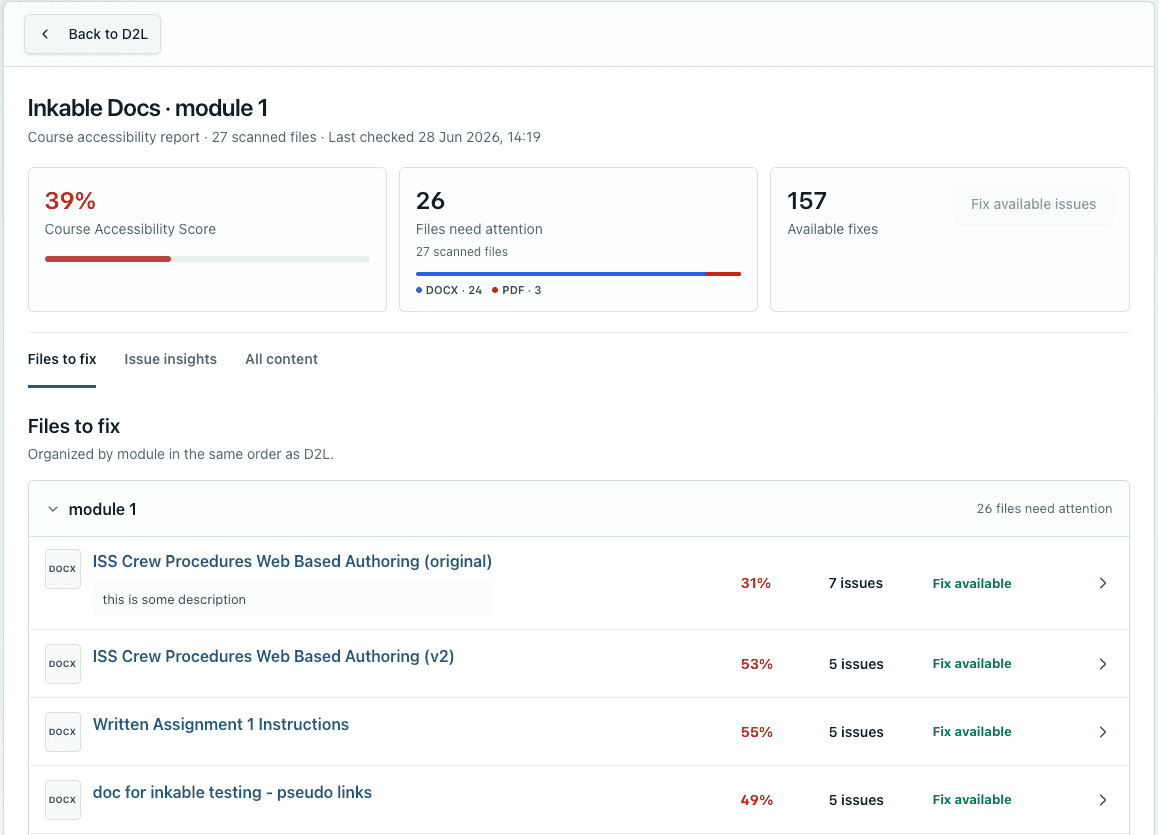
UDOIT lists 136 issues to resolve and 6 files it cannot scan, which the instructor must review and update by hand. Captured in our test course. 4. Pope Tech Canvas Accessibility Guide and Dashboards
by Pope TechCanvas tools that check and fix HTML in Canvas content from inside the editor, with dashboards from course to whole-instance level. PDF checking is a beta add-on.
- Works in
- Canvas
- Checks
- HTML in Canvas content; PDFs through a beta add-on. Word and PowerPoint are not documented
- Fixes files
- Yes for HTML in the Canvas editor; file fixing is not documented
- Alternative formats
- Not documented
- Pricing
- Published: $0.20 per FTE a year (Guide, $1,200 minimum); $1 per FTE a year (Dashboards, $2,400 minimum)
- Best for
- Canvas schools that want low-cost, transparent HTML checking and reporting
Pope Tech Canvas Accessibility Guide and Dashboards Pros
- Published, low per-FTE pricing
- Fixes HTML issues in place from the Canvas editor
- Reporting at course, user, and instance level
Pope Tech Canvas Accessibility Guide and Dashboards Cons
- Canvas only
- PDF checking is a beta add-on and does not fix PDFs
- No Word, PowerPoint, or AI fixing documented
5. Built-in Canvas and D2L Brightspace checkers
by Instructure and D2LThe accessibility checkers included with the LMS. Canvas's course checker scans Pages and Assignments, and D2L Brightspace's checker runs in the HTML editor. Their fixes are minimal and incomplete: a limited set of common issues on LMS pages, with uploaded files left untouched. Instructure and D2L build learning platforms, and accessibility is one feature among many rather than their core focus.
- Works in
- Canvas and D2L Brightspace
- Checks
- Native LMS content (HTML); not PDF, Word, or PowerPoint files
- Fixes files
- Minimal: a limited set of common issues on LMS pages. Canvas adds optional AI alt text (off by default)
- Alternative formats
- Not documented
- Pricing
- Included with the LMS
- Best for
- Courses built mostly from LMS pages rather than uploaded documents
Built-in Canvas and D2L Brightspace checkers Pros
- No extra cost
- Fixes issues in place in the LMS editor
- Canvas offers bulk AI alt text for hosted images
Built-in Canvas and D2L Brightspace checkers Cons
- Fixes are minimal and incomplete, covering a limited set of common issues
- Accessibility is a side feature of an LMS, not the vendor's core focus
- Does not check PDF, Word, or PowerPoint files
- Canvas's course checker cannot scan courses with more than 1,000 items
- Canvas AI alt text is off by default, with future pricing not yet published

How to choose a YuJa Panorama alternative
Use these criteria to evaluate any course accessibility tool, including ours.
What the licence includes
Check whether automatic fixing and AI features come with the licence, or are sold as separate modules or usage credits.
Coverage of uploaded files
Most course barriers sit in uploaded documents. Some tools only check native LMS pages.
Checks based on meaning
A heading sequence can be valid and still wrong. Look for checks that judge whether structure matches the content.
Where it works
Confirm the tool supports your LMS, and whether it can check documents before they are uploaded.
Evidence for compliance
Course and institution reports should map findings to WCAG 2.1 AA and show what was fixed, not only what was found.
Total cost
Compare annual licence, implementation fees, and paid add-on modules. Some vendors publish prices; others are quote only.
Inkable Docs vs. YuJa Panorama at a glance
| Capability | Inkable Docs | YuJa Panorama |
|---|---|---|
| Word and PowerPoint files | Fixes the file and replaces it in the course, with an Undo that restores the original | Inline remediation with file replacement in the LMS. Automatic fixing is AutoPilot, an optional AI module |
| PDF files | Detailed PDF/UA and Matterhorn Protocol report. Fixes are made in the source document, then a new PDF is exported | Remediates PDFs in the LMS. Tagging and reading-order fixes are Structural Remediation, a separate AI module. PDF/UA is not mentioned |
| Where the AI sits | In the core product: AI checks, fixes, and alt text are not sold as separate modules | In add-on modules: AutoPilot and Structural Remediation are sold as “Max” tiers, and the unlimited option excludes Course AutoPilot credits |
| Checks based on meaning | Judges whether heading levels, lists, and titles match what the content says, and flags meaning conveyed only by color | Rule-based checks such as heading length, pages over 3,000 words, empty links, unformatted lists, and missing table headers. No documented check of whether structure matches meaning |
| Pricing | Typically 30–50% below Panorama in institutions' quote comparisons, with AI fixing included and flat institution-wide pricing for LMS integrations | Quote only, with paid add-on modules. Public board records: $99,950 a year for the core licence across Colorado's community college system |
Read the full comparison: Inkable Docs vs. YuJa Panorama.
How to evaluate Inkable Docs against YuJa Panorama
- 1
Install Inkable Docs in your LMS
Add Inkable Docs to a course in your LMS. Panorama can stay in place while you compare results on the same files before you switch.
- 2
Pick a real course
Choose a course with Word files, slide decks, PDFs, and LMS pages, ideally one Panorama scores below 100%.
- 3
Compare the work, not only the scores
For each file, note what each tool found and how much of the fix it did, and which fixes needed a paid Panorama module.
- 4
Review the evidence
Use Inkable Docs' course reports, admin summaries, and instructor summary emails to show progress to departments and compliance reviewers.
How we compared these tools
Every competitor fact comes from the vendor's own product pages, documentation, release notes, or published pricing, checked on November 24, 2026. Where a vendor does not document a capability, we say "not documented" rather than assume it is missing.
Can automation replace human review? Yes and no. Inside an interface like Inkable Docs, AI checks and fixes can replace manual review to a large extent, though not 100%: judgments about meaning, such as whether alt text conveys what the instructor intends, still need a person. Our capability boundaries page sets out what Inkable Docs automates and what still needs a person.
For a wider view that also covers PDF remediation software and alternative-format services, see the 10 best accessibility remediation tools for academic materials.
Sources
- YuJa Panorama product page
- YuJa Panorama remediation engines (AutoPilot and Structural Remediation)
- YuJa Panorama release notes (2026)
- Colorado Community College System board item: YuJa contract (Feb 2024)
- Inkable Docs capability boundaries
- Anthology: Instructor FAQs for Ally
- Anthology: Ally for LMS 2026 release notes
- Blackboard Ally on AWS Marketplace (12-month contract pricing)
- Cidi Labs UDOIT Advantage
- Cidi Labs UDOIT FAQ
- UDOIT on GitHub
- Pope Tech for courses
- Pope Tech pricing
- Pope Tech 2026 dashboard updates
- Canvas: How do I use the Accessibility Checker?
- Instructure: course accessibility tooling announcement
- D2L: Brightspace Accessibility Checker
Frequently asked questions
Everything you need to know about how Inkable Docs checks, fixes, and documents accessibility across authoring tools, LMS course materials, and PDF workflows. Need more help? Reach out to support@inkabledocs.com.
See what gets fixed in your own courses
Run Inkable Docs in one of your own courses and compare what gets fixed with what Panorama fixes on the same files.
Already under contract? We pay what's left on it when you switch.